
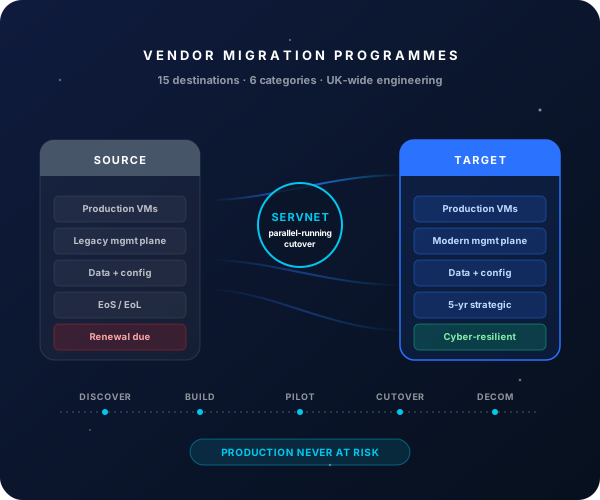
What good looks like after a Exchange On-Premises → Microsoft 365 (Exchange Online) migration
Exchange servers + DAG + storage + backup all decommissioned post-migration.
End-to-end for a 500-5,000 mailbox estate with hybrid coexistence.
Microsoft-managed Exchange Online — no patching, no DAG, no version upgrade projects.
UK GDPR, ICO breach response, e-discovery all materially easier on M365.
Why UK organisations migrate from Exchange On-Premises to Microsoft 365 (Exchange Online)
- ✓Exchange 2019 extended support ends October 2025 — no more security patches after that
- ✓Exchange 2016 / 2013 already out of mainstream support — security risk
- ✓Eliminate on-prem Exchange infrastructure (servers + storage + DAG + backup)
- ✓Native integration with the full M365 stack — Entra ID, Teams, SharePoint, OneDrive, Defender, Purview
- ✓Modern client experience — Outlook for Web, mobile, MFA-protected, anywhere access
- ✓Compliance posture (UK GDPR, ICO breach response) substantially easier on M365
Migration phasing — typical Exchange On-Premises → Microsoft 365 (Exchange Online) programme
- 1
Discovery + hybrid design
Weeks 1-3Exchange estate fingerprint; M365 tenant + licensing design; hybrid topology design (Hybrid Configuration Wizard, AD Connect, Entra ID Connect); migration tool selection (Native, BitTitan, Quest, Cloudm).
- 2
Hybrid coexistence setup
Weeks 4-6M365 tenant provisioning; AD Connect / Entra ID Connect deployed; HCW run; first hybrid mailbox moves; user-experience validation.
- 3
Pilot wave (50-100 mailboxes)
Weeks 7-8Pilot users migrated; mobile devices + Outlook reconfigured; helpdesk training; user feedback gathered.
- 4
Phased mailbox migration
Weeks 9-14Mailbox waves grouped by department; migrations scheduled overnight / weekend; daily review of failed mailboxes + remediation.
- 5
MX cutover + Exchange decommission
Weeks 15-16MX records cut to M365; SMTP relay reconfigured; Exchange On-Prem servers retired (or retained as one slim server for hybrid management if AD synced from on-prem).
What Servnet delivers in a Exchange On-Premises → Microsoft 365 (Exchange Online) migration
M365 tenant + licensing design
E3 / E5 / Business Premium sizing with <a href="/insights/m365-licensing-optimisation">licence-optimisation</a> review.
Hybrid coexistence configuration
HCW + Entra ID Connect + identity federation; ensures user experience is consistent during transition.
Mailbox migration tooling
Native MRS migration + optional third-party (BitTitan, Quest, Cloudm) for complex scenarios — sized + configured.
Mobile device + Outlook reconfiguration
Per-user mailbox cutover triggers automated client reconfiguration; helpdesk scripts for edge cases.
Exchange decommission
Servers retired; if AD remains synced from on-prem, one slim Exchange server retained for hybrid management.
Post-migration support
90-day hypercare; optional ongoing M365 managed service.
Top risks + how we mitigate them
Indicative: Exchange On-Prem → M365 migrations for a 500-5,000 mailbox estate typically run £25k-£60k professional services (excluding M365 licensing). M365 licensing optimised against your <a href="/insights/buying-microsoft-licenses-uk-ea-vs-csp-vs-mca">EA / CSP / MCA position</a>. Talk to us for a sized commercial proposal.
FAQs — Exchange On-Premises → Microsoft 365 (Exchange Online)
How long can we run hybrid?
As long as you need to. Many enterprises keep hybrid for years; some collapse to "cloud-only" within months of last user mailbox migration. We design the target state during discovery so the path is clear.
What about Active Directory?
Most customers retain on-prem AD with Entra ID Connect synchronisation — common for environments with on-prem file shares, group policies, line-of-business apps. Cloud-only AD (Entra ID standalone) is feasible for smaller / cloud-first organisations.
Can we migrate public folders?
Yes — via Microsoft's native PFMW tooling or third-party (BitTitan, Quest). For very large public folder estates, migration is non-trivial — discovery phase sizes the effort honestly.
What about Exchange-integrated apps?
App-by-app inventory during discovery. Most modern apps now use Graph API; older apps using EWS or SMTP relay either migrate to Graph, sit on a slim hybrid Exchange relay, or are decommissioned.
Ready to scope your Exchange On-Premises → Microsoft 365 (Exchange Online) migration?
30-minute discovery call with an engineer who's run this migration before. Honest scoping, no sales script.
Book a scoping call →